Connect ChatGPT to Google Workspace MCP with Plugins
ChatGPT now connects remote MCP servers as plugins. Custom MCP support has moved out of Developer Mode and into the Plugins page, so you no longer need to toggle Developer Mode to give ChatGPT Workspace MCP's read and write tools.
Requirements
You need ChatGPT on the web and a hosted Workspace MCP endpoint. For Workspace MCP Cloud, use your MCP server URL:
https://yoursubdomain.workspacemcp.com/mcpOpenAI's docs say custom MCP plugins support remote servers over SSE and streaming HTTP, with OAuth, no authentication, or mixed authentication. In a Business or Enterprise workspace, admin permissions and security restrictions such as Lockdown also apply to adding and using custom MCP servers.
How to Connect Workspace MCP to ChatGPT
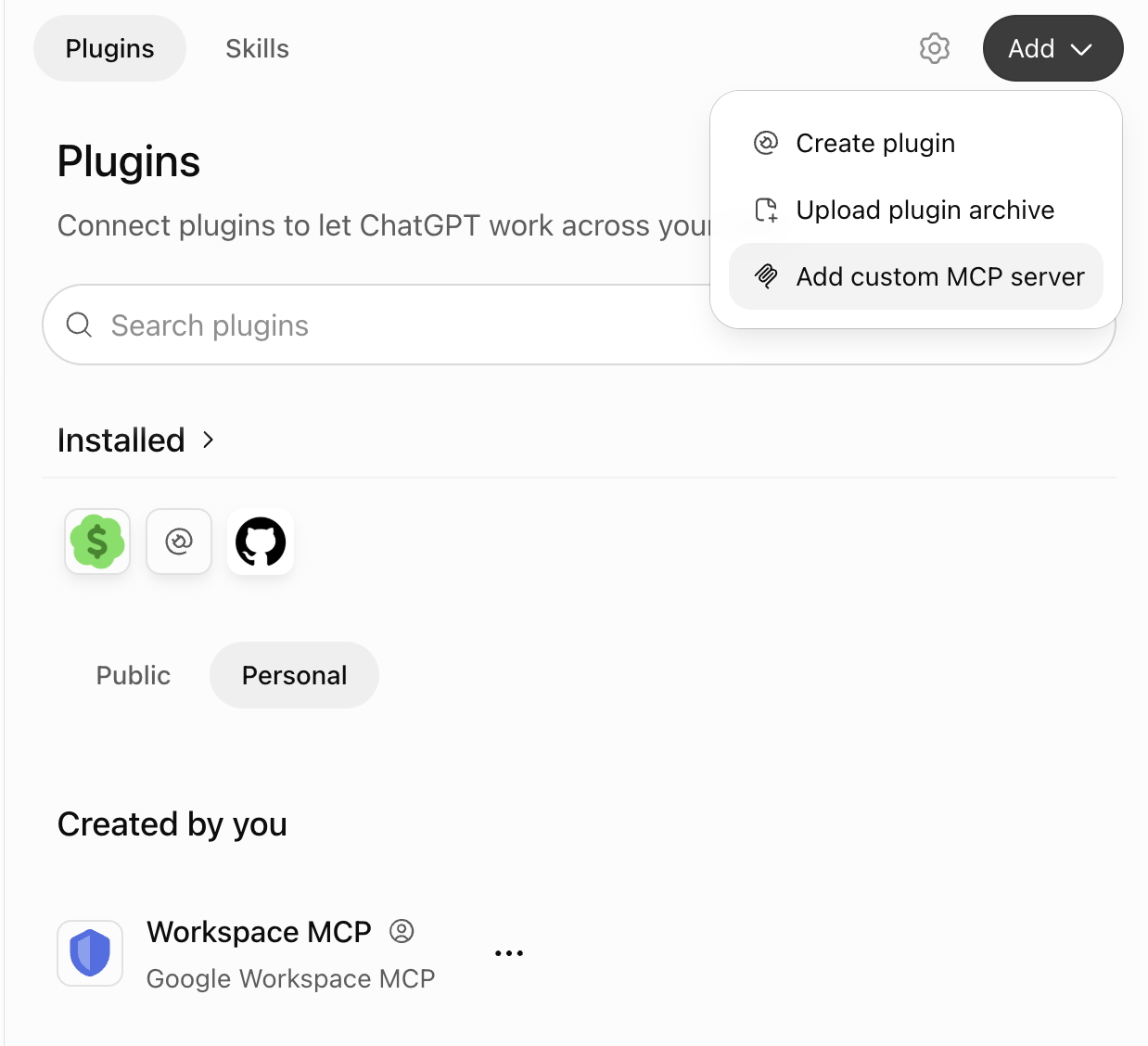
- Open Plugins. In ChatGPT on the web, go to the Plugins page.
- Add a custom MCP server. Click Add in the top right and choose Add custom MCP server.
- Configure Workspace MCP. Name it Workspace MCP, then under Connection enter your server URL, such as
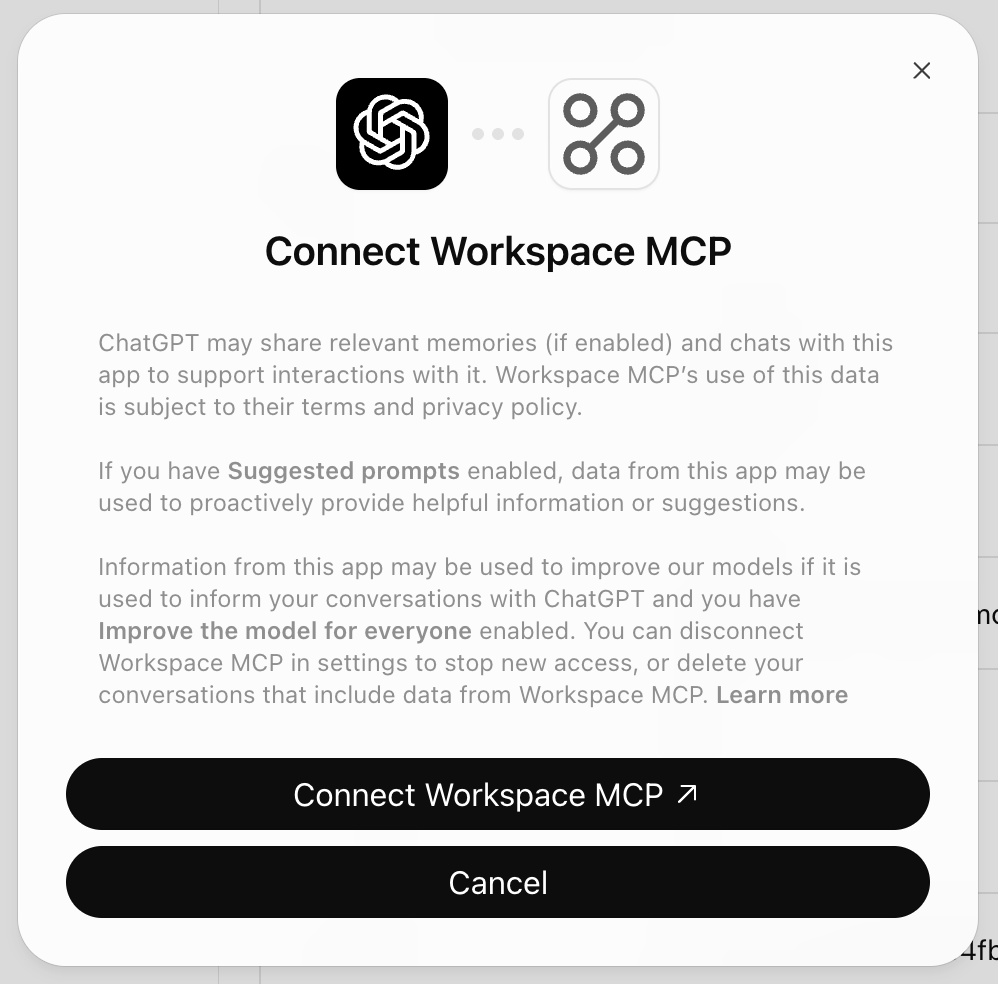
https://yoursubdomain.workspacemcp.com/mcp. Choose OAuth for authentication, accept the risk warning, and click Create as a plugin. - Connect your Google account. Install the plugin, click Connect Workspace MCP, and sign in with the Google account you want ChatGPT to use.
- Use it in a conversation. Start a new ChatGPT conversation, type
@in the prompt box, and select Workspace MCP.
Prompting Tips
Be explicit when asking ChatGPT to use Workspace MCP. The plugin exposes many tools, and direct prompts help ChatGPT choose the right Google Workspace tool instead of using built-in tools.
Use the Workspace MCP Calendar tool to list my next five meetings.
Do not use built-in browsing or other tools.

Use Workspace MCP Drive search to find files named quarterly planning.

Use Workspace MCP Gmail to search for unread messages from [email protected].
If multiple tools could apply, include the service and action you want, such as Calendar for meetings, Drive for file lookup, Gmail for email, or Docs for document edits.
Safety Notes
The plugin gives ChatGPT access to read and write MCP tools, so use it carefully. ChatGPT asks for confirmation before write actions by default, and Workspace MCP marks its read-only tools so lookups run without a prompt. Review tool payloads before approving writes, especially anything that can send email, share files, update documents, create calendar events, or change Google Workspace permissions.
Each person should authenticate with their own Google account. Workspace MCP can only access Google Workspace data that the signed in account already has permission to access.
Troubleshooting
Add custom MCP server is missing
OpenAI is still rolling the option out, and some Plus accounts do not have it yet. In a workspace, an admin may also need to allow custom MCP servers.
I set this up with Developer Mode
You do not need to recreate it. Apps created under Developer Mode appear on the Plugins page under Created by you, with their connected accounts intact.
The Workspace MCP tools do not appear
Open Workspace MCP from the Plugins page and select Refresh so ChatGPT pulls the latest tools, descriptions, and server instructions, then start a new conversation.
The wrong Google account is connected
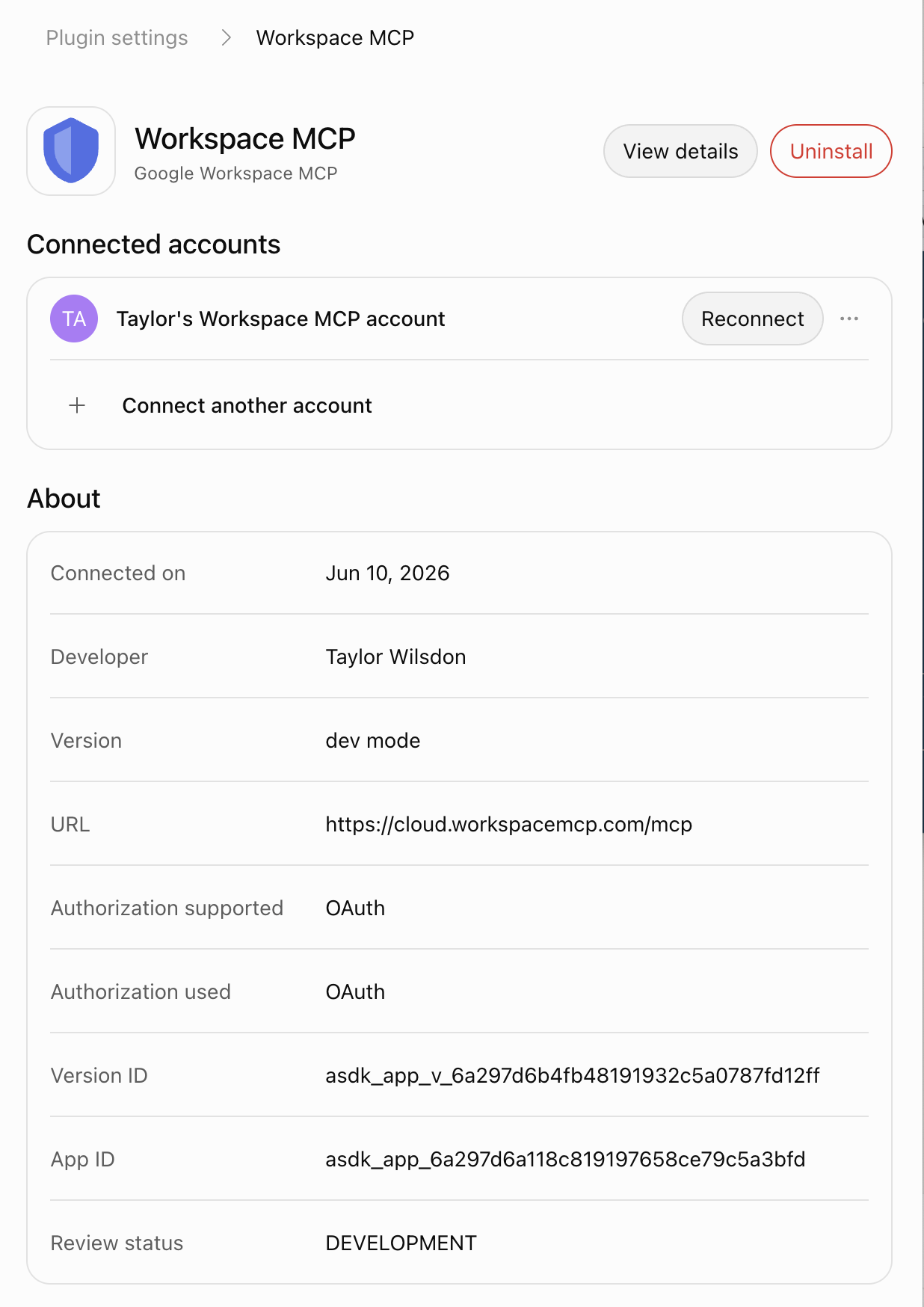
Open the plugin settings and use Reconnect, or choose Connect another account to add a second Google account.
ChatGPT chooses the wrong tool
Name Workspace MCP and the exact Google Workspace service in your prompt. For example, ask ChatGPT to use the Workspace MCP Calendar tool and avoid other scheduling tools.
Sources
This guide is based on OpenAI's Add custom MCP server documentation and its guide to connecting and testing a plugin in ChatGPT.